AdoraBuild: Structures
Adds over 100 new structures to enhance the world exploration


Coming soon
Choose your operating system, install Prism, then sign in with the Microsoft account that owns Minecraft Java Edition.
Download PrismSave the ZIP somewhere easy to find, like Downloads. Leave it zipped. Import it once; future pack updates happen when you launch.
Download Season 5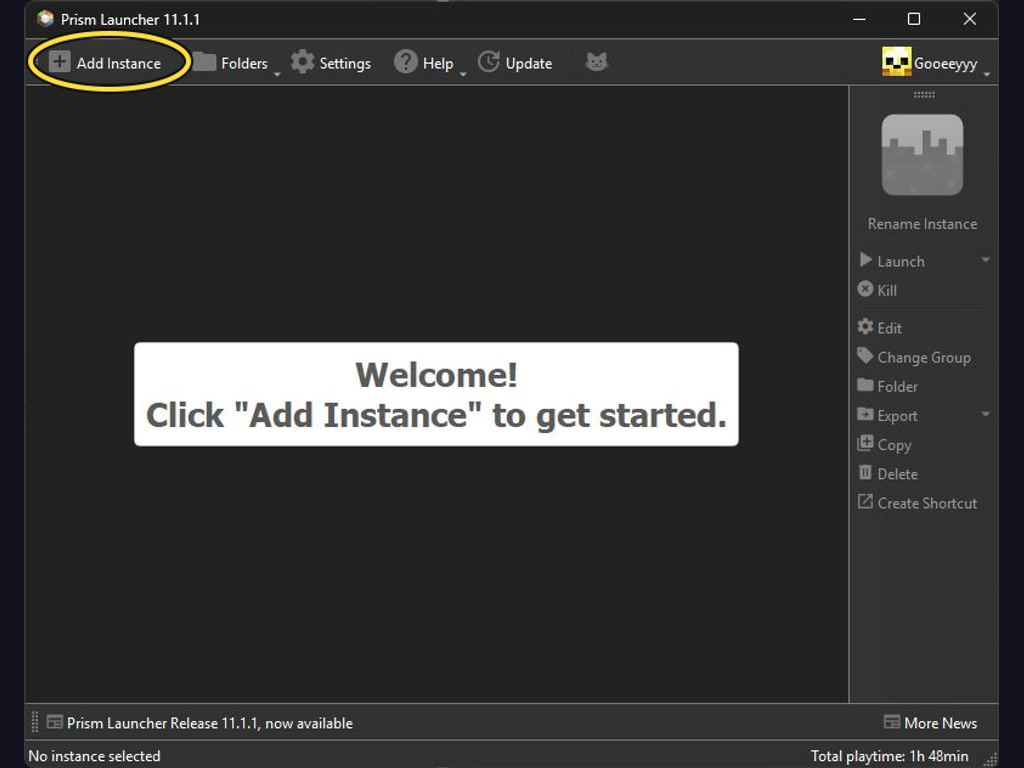
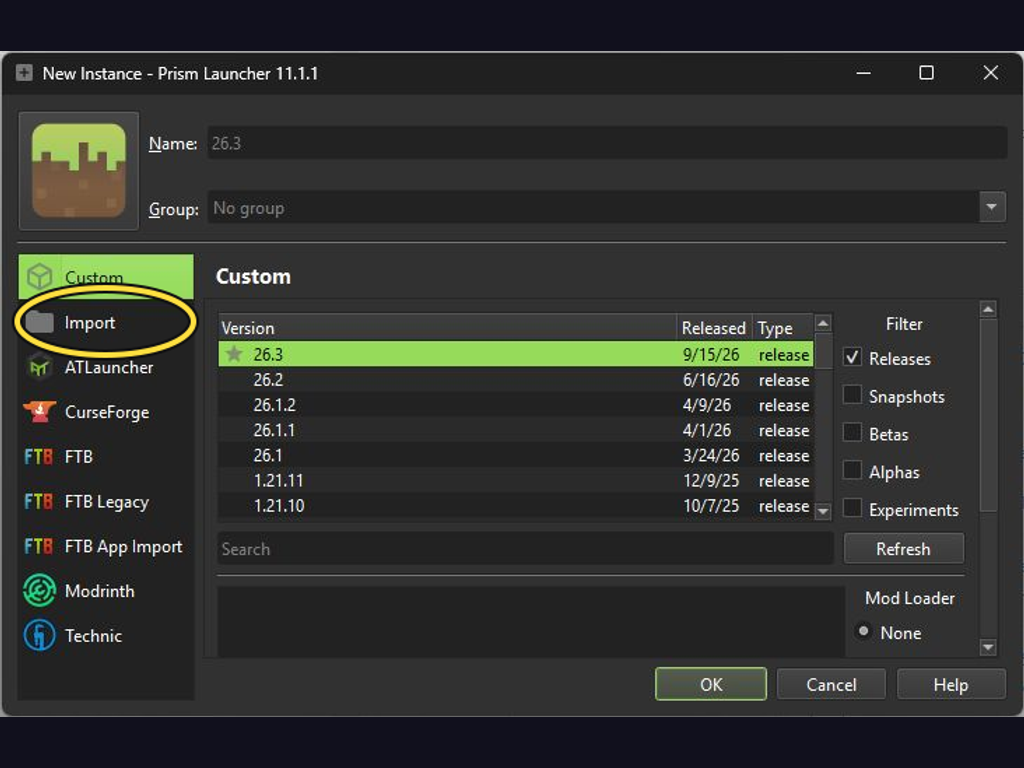
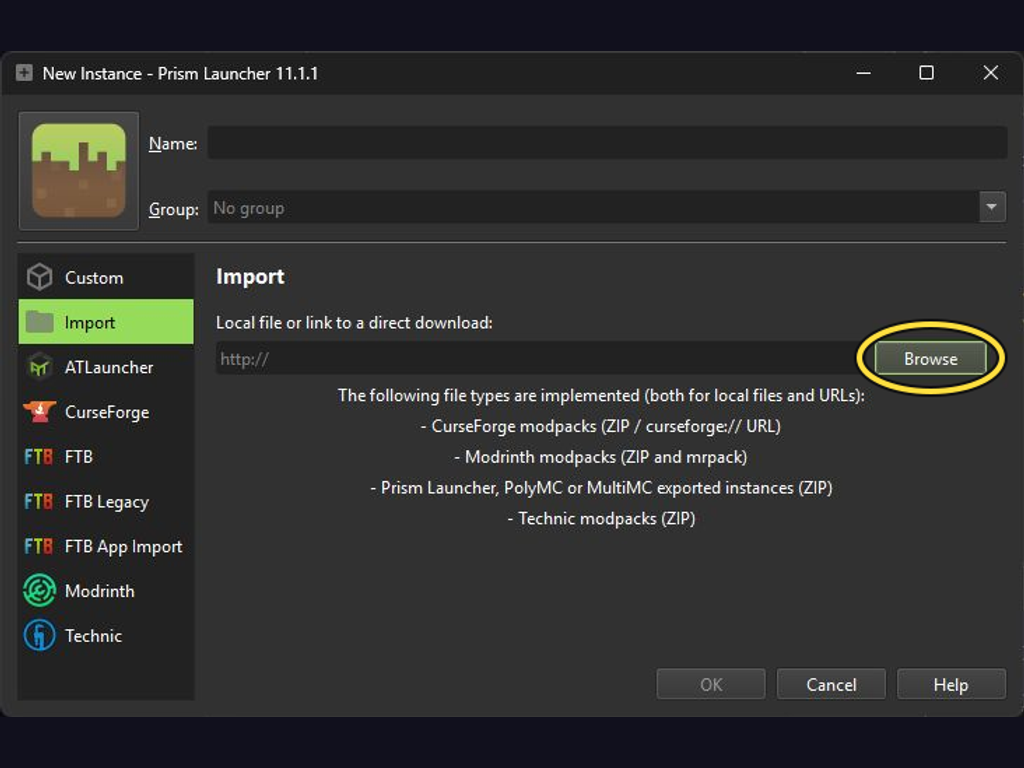
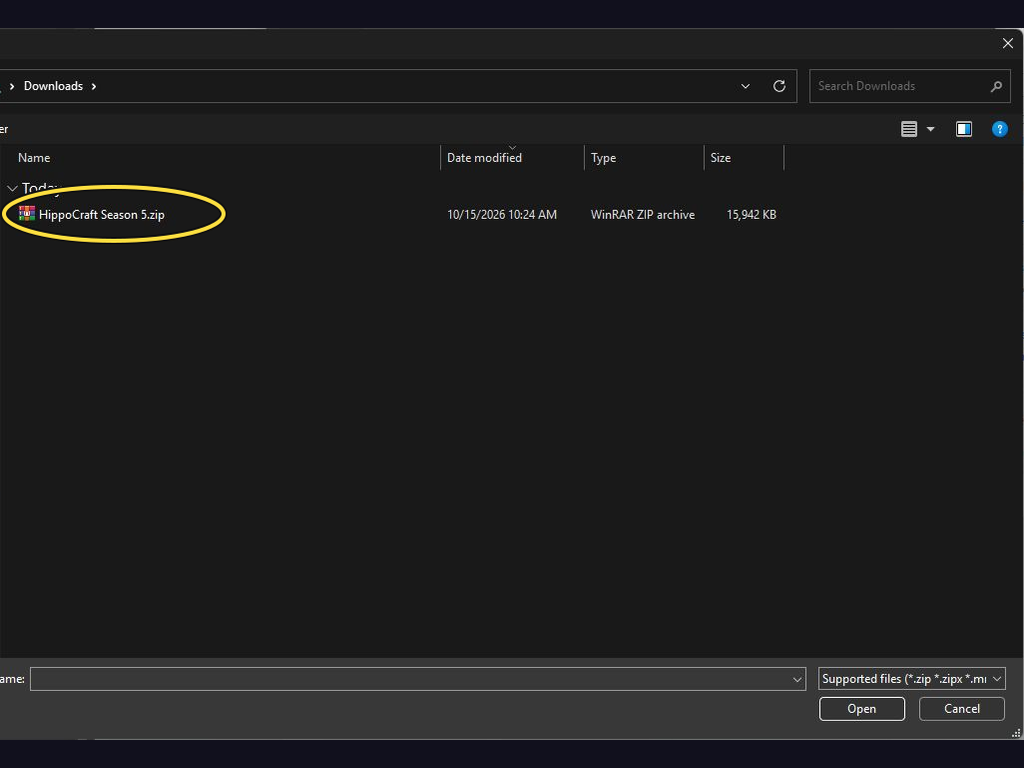
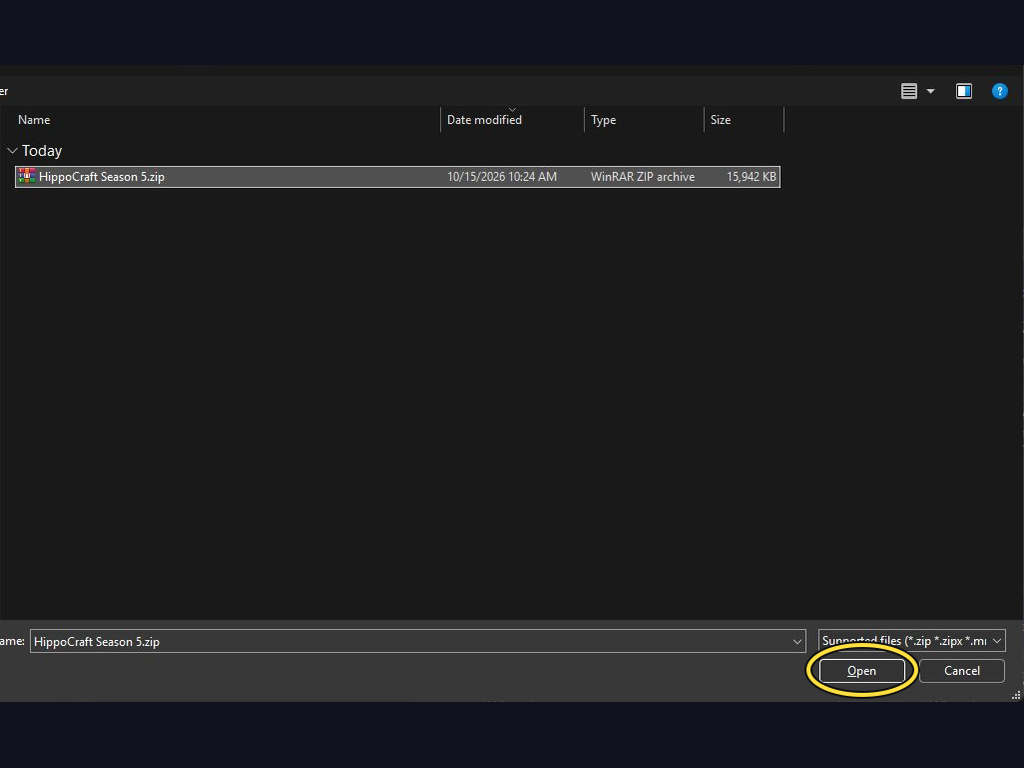
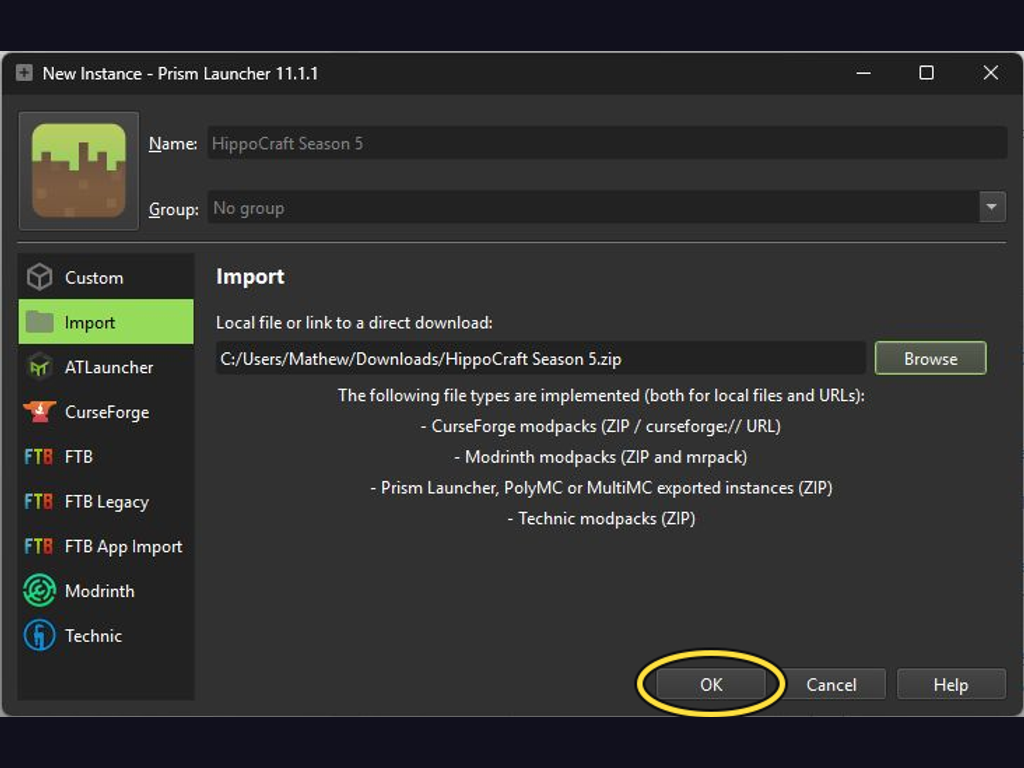
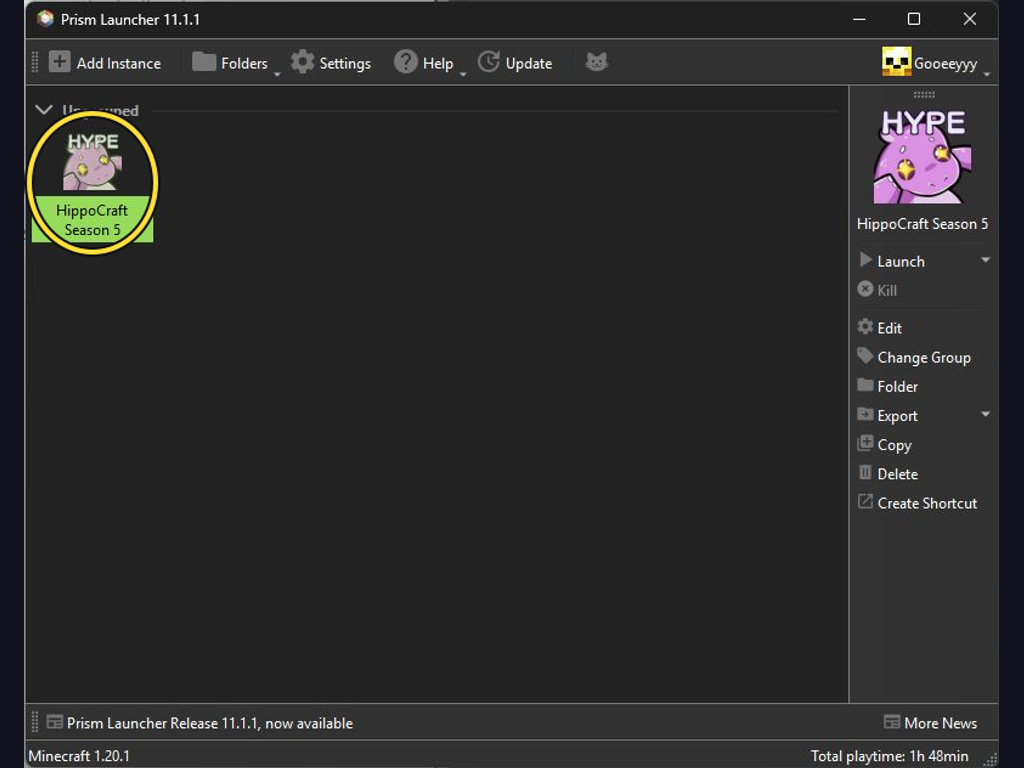
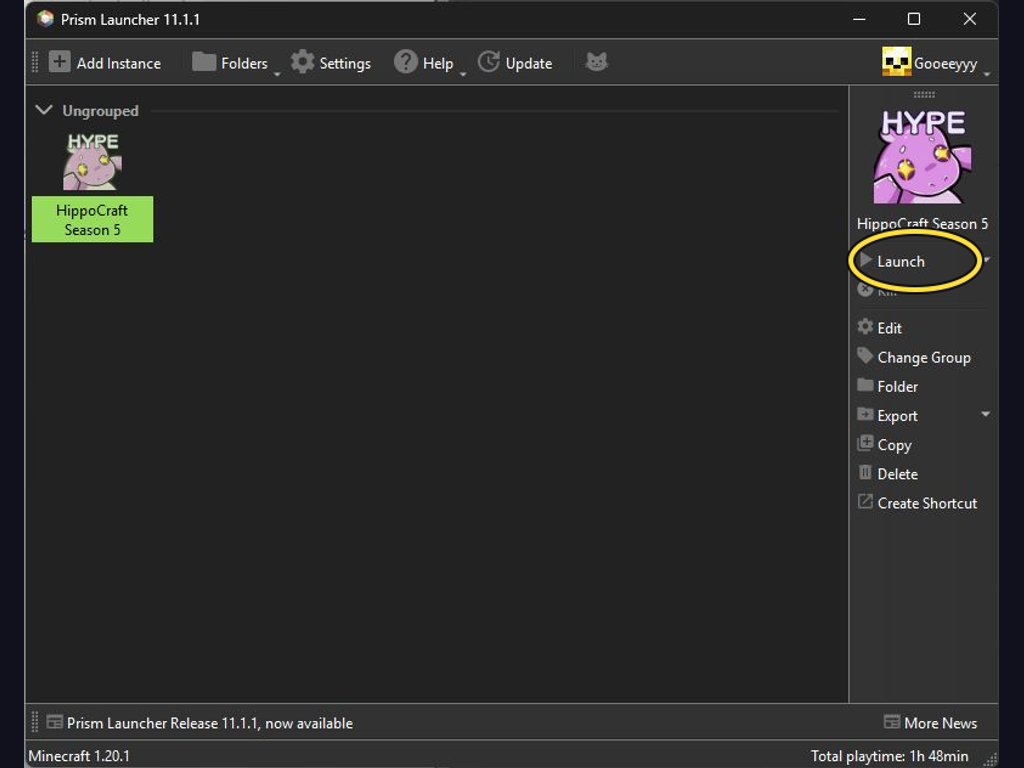

The pack joins the server automatically after launch.
Whitelist access required.HippoCraft updates automatically when you launch. Let the updater finish, then Minecraft starts with your settings saved.

As of
Adds over 100 new structures to enhance the world exploration

Food/hunger-related HUD improvements

Hide or adjust the transparency of armor, glint, and offhand items - with full multiplayer sync. No dependencies required.

Custom vanilla dungeons and structures for both Fabric and Forge

Carry On allows you to pick up Tile Entities and Mobs and carry them around!

Pre-generates chunks, quickly and efficiently

Adds a search bar to the Key-Bindings menu

🚪 Multiple identical double doors, trapdoors and fence gates can be opened simultaneously.

Adds dungeons of various rarities and sizes

Extreme sound muffler is a client side mod that allows you to muffle sounds selectively.

Break down your trees by only cutting one piece of it

Memory usage optimizations

A fully customizable grave to save your loot upon death!
Show grave recovery help.
/trigger graves.helpLocate your last grave.
/trigger graves.last_graveLocate your nearest grave.
/trigger graves.nearest_graveList your grave locations.
/trigger graves.all_graves
Hurt one member of the herd and watch the whole flock lose it – now with Farm Fear™ panic intensity. Server-side Fabric mod. Now supports Minecraft 26.3.

Connects the server to the HippoCraft website and provides server administration tools.

A modern shader pack loader for Minecraft intended to be compatible with existing OptiFine shader packs

Shows information about what you are looking at. (Hwyla/Waila fork for Minecraft 1.16+)

Real-time map used for mapping in-game or your browser as you explore.

View Items and Recipes

Adds dynamic lights to Minecraft as the most feature-complete and optimized dynamic lighting mod.

No-compromises game logic optimization mod, useful for both single-player games and multi-player servers.

This mod gives you complete control over mob spawning with per-rule filters, category caps, loot/XP scaling, attribute multipliers, and mob replacement — no coding required, just edit the JSON config and reload. 🔌✨

Enhances inventory management by adding various functions to the mouse buttons.

adds 130+ vanilla style structures to your world to bring it alive, using vanilla blocks. Includes dungeons and enemies to fight!

Animals no longer stay in the world forever, instead they spawn and disappear like monsters.

A server-side backpacks mod that uses Polymer, with added GeyserMC support.

A high-performance rendering engine replacement for Minecraft, which greatly improves frame rates and reduces micro-stutter.

A Sodium addon that adds features that shouldn't be in Sodium.

A capable inventory sorting mod that works either client-side or server-side
Change your personal sorting preferences.
/sortitout preferences
spark is a performance profiler for Minecraft clients, servers and proxies.

Terrain shaping brought to new heights, grander and more varied than ever before!

Explore almost 100 new biomes consisting of both realism and light fantasy, using just Vanilla blocks. Complete with several immersive structures to compliment the overhauled terrain.

Simple vanilla style storage mod

A small collection of server side mobs. No client mods required!

🧑🌾 Gives all villager entities a default or custom name to liven up the world.

Teleport from waystone to waystone or craft magical scrolls to warp.

This datapack adds elephants, jellyfishes, sharks and more, without causing lag to the server! No resource pack required

Abstraction Layer for Multi-Loader Mods

🎓 Collective is a shared library with common code for all of Serilum's mods.

A library mod that handles networking (including packages, serialization and comms) as well as providing means to build native-looking user interfaces more easily.

Lightweight and modular API providing common hooks and intercompatibility measures utilized by mods using the Fabric toolchain.

NeoForge's & Forge's config systems provided to other modding ecosystems. Designed for a multiloader architecture.

The platform-agnostic, Architectury based library used in all of JamCoreModding's mods

Library mod with new configurability and compatibility enhancements for worldgen

Simple configuration library for Minecraft Mods

This is a library mod for the Moogs Structure series

Library for creating better server side content!

Why is it called Puzzles? That's the puzzle.

Searchables is a library mod that adds helper methods that allow for searching and filtering elements based on components, as well as offering built in auto-complete functionality.

Rule-based, contextually dynamic configuration options for supported mods.
No matching mods
Online
 Players online
0
 World uptime
1h 37m
Next server restart12 AM / 12 PM ET
 Blocks mined
 Diamond ore mined
 Mobs defeated
 Deaths
 Fish caught
 Animals bred
 JumpsPlaytime
Unknown

Unknown
Offline artemvis artemvis |
2 | 3h 40m | 3,992 | 6 | 83 | 9 | 0 | 3,155 | 69.87 km |
|---|---|---|---|---|---|---|---|---|---|
Offline Gooeeyyy Gooeeyyy |
11 | 7h 47m | 1,151 | 0 | 151 | 0 | 0 | 1,802 | 109.61 km |
Offline jujujunimo jujujunimo |
2 | 1h 41m | 539 | 0 | 46 | 0 | 0 | 753 | 34.23 km |
Offline Zeromanex Zeromanex |
2 | 1h 34m | 566 | 0 | 35 | 0 | 0 | 599 | 33.10 km |
Sorted by Player, ascending